
Before you go · 7 min read
How to pay in China: Alipay and WeChat Pay step by step

In short: in China you pay with your phone, using Alipay or WeChat Pay. You can set up both apps before you leave home and link an ordinary debit or credit card. Payments up to ¥200 are fee-free, and above that the app adds 3% of the whole amount. That's why we split bigger bills into several payments of ¥200. Ideally, link a multi-currency card such as Revolut or Zen, so you don't lose money on your bank's currency conversion.
Correct as of October 2026. Alipay and WeChat Pay fees, limits and promotions change, so check them in the app before you travel.
Alipay or WeChat Pay?
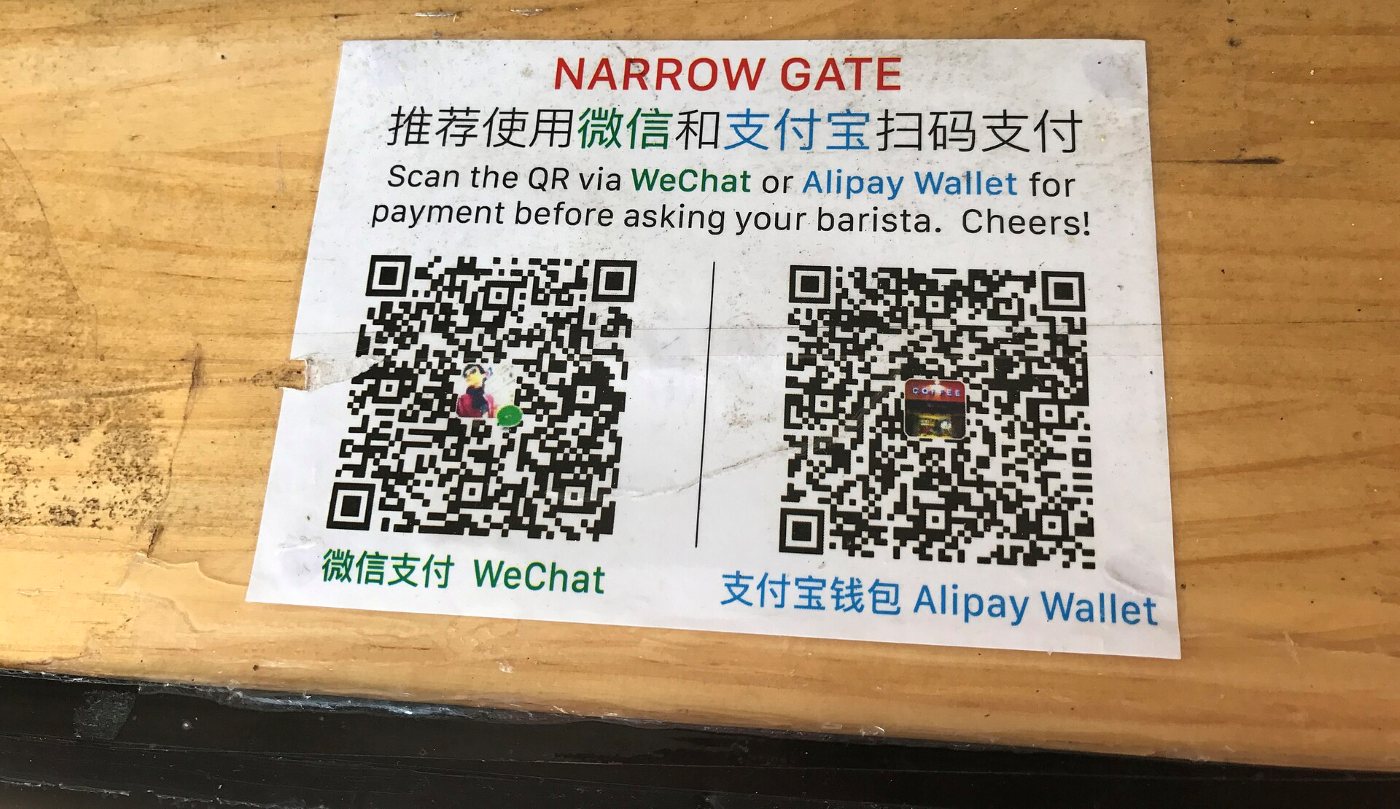
Hardly anyone in China pays cash any more. At the till, at market stalls and in taxis there's a QR code that you scan with your phone, or the cashier scans the code in your app. Almost everywhere takes both apps, and their rules for foreign cards are the same.
| Alipay | WeChat Pay | |
|---|---|---|
| Sign-up | phone number and SMS code | phone number or Facebook, often with confirmation from another user |
| Language | English | English |
| Cards | Visa, Mastercard and other foreign cards | Visa, Mastercard and other foreign cards |
| Fee | 0% up to ¥200, 3% above | 0% up to ¥200, 3% above |
| Also handy for | DiDi taxis, eSIMs, tickets | messaging your hotel, mini-programs, Meituan |
TipSet up both. Alipay is easier to start with, and WeChat comes in handy for messaging your hotel and in places that only take WeChat Pay.
How to set up Alipay
This is the easiest app to start with: all you need is a phone number and a card.
- Download Alipay from the App Store or Google Play before you leave home. It's the same app Chinese people use, just with an English interface.
- Sign up with your own phone number. The SMS code goes to your usual number.
- Link a card, debit or credit: number, expiry date, CVV and your name as it appears on the card. You can add several cards.
- Verify your identity with your passport when the app asks. It's required for larger amounts, so it's better to do it straight away rather than at a till in China.
- Make your first purchase before you leave home, for example a travel eSIM from the eSIM store in Alipay (we covered this in our article about the internet). You'll see right away whether your card works.
TipAdd two cards from different banks. If one gets declined, which can happen with your first payments abroad, you pay with the other.
How to set up WeChat and WeChat Pay
WeChat is a bit harder to set up, because when you register from abroad the app often requires confirmation from another WeChat user.
- Download WeChat and choose to sign up. We logged in with Facebook, which was the quickest option. You can also use your phone number.
- Ask for verification. WeChat shows a QR code that someone who already has an account must scan. A Chinese friend helped us. The code is only valid for a few minutes, so don't close the screen until verification is complete.
- Turn on WeChat Pay in your Wallet and link a debit or credit card.
- Verify your identity with your passport if the app asks.
NoteThe person verifying you has to meet WeChat's requirements, for example having had an account for a while. The app shows them during sign-up, and they sometimes change. Don't know anyone who qualifies? Write to us and we'll help. To get started with payments, Alipay is enough.
Which card to link? Ideally a multi-currency one
Alipay and WeChat Pay charge your card in yuan. If you link an ordinary card in your home currency, your bank converts the yuan at its own rate and often adds a foreign transaction fee. Few banks offer a yuan account, so the simplest option is a multi-currency card such as Revolut or Zen. These cards convert at close to the market rate, without a hefty bank fee. There's no point losing money on currency conversion when you can avoid it.
- A multi-currency card as your main card: use it to pay in Alipay and WeChat Pay.
- A second card as backup: from a different bank, in case a payment is declined.
- Check your plan's terms: limits on fee-free currency exchange and any surcharges, for example for exchanging at weekends.
- Turn on foreign and online payments with your bank.
The 3% fee: how the ¥200 threshold works
When you pay with a foreign card, Alipay and WeChat Pay apply the same rule:
- payments up to ¥200: no fee,
- payments over ¥200: 3% of the whole amount, not just the part above ¥200.
Each payment counts separately, not your total for the day. So a ¥201 bill costs you about ¥6 in fees, while ten payments of ¥100 cost nothing.
The app takes this fee. Your bank may add its own currency conversion fee on top, and that's exactly what a multi-currency card protects you from.
TipCheck the promotions in the app. According to a March 2026 notice from the Beijing city government, WeChat Pay waives the fee for 60 days after you first link a foreign card, on payments of up to ¥1,000 a day. Terms like these change often.
Our trick: ¥1,000 = 5 payments of ¥200
When a bill is over ¥200, pay it in several parts. For a ¥1,000 bill we made 5 payments of ¥200, so the fee was zero instead of ¥30.
Work out how much you'd save on your own bill:
One payment
You pay ¥1,030 (about 601 PLN)
5 payments of ¥200
You pay ¥1,000 (about 584 PLN)
You keep ¥30 (about 18 PLN), that's 2 bowls of dan dan noodles
Alipay and WeChat Pay add 3% of the whole payment above ¥200 when you pay with a foreign card. A bowl of dan dan noodles costs about ¥15. Amounts in brackets are in the currency chosen in the site menu, at the National Bank of Poland rate.
¥30 may not sound worth the effort, but that's two bowls of dan dan noodles (about ¥15 each). And the saving adds up with every bigger bill on your trip.
How do you do it in practice? It depends on who scans the code.
You scan the merchant's code (a QR sticker at the till, at a market stall, in a taxi):
- Open Alipay and tap Scan.
- Scan the merchant's code.
- Enter 200 and confirm the payment.
- Repeat until you've paid the full amount. The last payment is whatever is left, e.g. for ¥850: four payments of ¥200 and one of ¥50.
The merchant scans your code (shops with a till, supermarkets): show the payment code in your app and ask the cashier to take the amount in several parts of ¥200. The easiest way is to show them this sentence:
In Chinese可以分几次付吗?每次两百。 kěyǐ fēn jǐ cì fù ma? Měi cì liǎng bǎi. “Can I pay in several parts? ¥200 each time.”
NoteNot every merchant will agree, especially in large shops and hotels. In that case pay the full amount with the fee, and pay for the biggest expenses in advance by card, as described below.
Pay for big expenses in advance by card
The 3% fee only applies to payments through Alipay and WeChat Pay. The most expensive things on a trip – accommodation, trains between cities and some entrance tickets – usually cost more than ¥200. So pay for them in advance online by card: accommodation through Trip.com or Booking, trains through Trip.com. Then the Alipay fee doesn't apply at all. We explain how to buy tickets in our article Hotels, trains and flights.
For scale, based on our plans: food costs about ¥110–250 per person per day, and a metro ride costs a few yuan. Most everyday payments are under ¥200 without any tricks.
Cash: bring a little, just in case
Day to day you'll hardly need cash, but it's worth having some yuan for emergencies: a flat phone battery, no internet, or a place where the app won't accept a foreign card. We say the same on the packing list in our plans.
Checklist: payments before you fly
- Set up Alipay (with your phone number) and link a card.
- Set up WeChat (we used Facebook) and ask a friend to verify you.
- Link a multi-currency card (Revolut, Zen) and a second card as backup.
- Verify your identity with your passport if the app asks.
- Turn on foreign and online payments with your bank.
- Save the Chinese sentence for splitting payments on your phone (from the box above).
- Bring a little cash for emergencies.
Don't want to figure it all out yourself?
Each of our travel plans has a “Before you go” chapter with instructions for Alipay and WeChat Pay, plus a day-by-day route, connections between cities and addresses in Chinese to show taxi drivers. See our China travel plans.